

Reference

Spin99 access for Indonesia sessions

Spin99 gives you a focused slot-style game screen with a visible stake selector, rules panel and spin controls inside talas789.

Visible stake selectorRules panelPhone browser accessSpin control layout
talas789 Spin99 access for Indonesia sessions
talas789 What happens inside Spin99

What happens inside Spin99

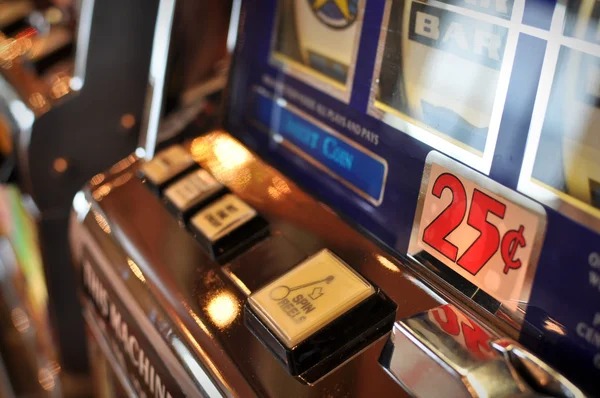
Spin99 is presented in our lobby as a dedicated slot-style title with its own game screen, rule display and session controls. Before you choose a stake, check the provider label and game rules shown in the header so you can see the current symbols, available actions and round conditions. The game stands apart from Super Sic Bo because Spin99 uses an individual

spin interface rather than a live table format. Our lobby keeps its entry separate from sports pages, so you can open the title directly after account access.

SCREEN DETAILS

Three Spin99 screen details

The Spin99 screen is designed around decisions you can check before starting a round.

talas789 In-game rules panel
RULES

In-game rules panel

Spin99 keeps its rules panel within the game screen, so you can check the displayed round…

talas789 Stake selector
CONTROL

Stake selector

The stake selector sits beside the primary Spin99 controls and lets you see your chosen entry…

talas789 Round status area
DISPLAY

Round status area

A dedicated status area shows the current round state while Spin99 is open.

Spin99 controls and round flow

Each Spin99 round starts with the stake value you set on the game screen, followed by the spin action and the displayed result.

Choose your stake

Start by selecting the visible Spin99 stake value. The amount should appear on the game panel before you use the spin control, giving you a clear chance to adjust it when you change your session plan.

Read round conditions

Use the Spin99 rules panel to check the displayed symbol behaviour and any special round conditions. We keep this reference within the game view so you do not need to leave the title to find basic mechanics.

Use the spin control

After confirming your stake, use the Spin99 spin control to begin a round. Wait for the result area to update before choosing another action, especially if your phone browser reconnects after a weak signal.

Check session balance

Your account balance remains visible near the Spin99 game controls while the title is open. If the amount does not refresh after a completed round, return to the lobby once and check the account display.

GAME DATA

Spin99 game data shown clearly

Clear game data helps you decide whether Spin99 suits the session you have in mind.

Auto-refresh hourly
talas789 Game type

Game type

92%

Spin99 appears in the talas789 lobby as a slot-style title with a dedicated spin interface.

talas789 Volatility display

Volatility display

97%

Check the active Spin99 rules panel for any volatility description supplied with the current game version.

talas789 Supported devices

Supported devices

96%

You can open Spin99 through a current phone browser or desktop browser after account access.

talas789 Access region

Access region

95%

Spin99 availability in Indonesia depends on local law and the regional status shown by our lobby.

RTP percentages are informational reference values from provider documentation. Actual session outcomes vary.

PHONE SESSION

Spin99 on your phone browser

Spin99 is built to open from the mobile lobby without requiring a separate app download.

Browser lobby entry
Portrait or landscape
Visible balance display
Return through lobby
talas789 mobile gaming
HELP ROUTE

Spin99 help when a round stalls

A stalled Spin99 screen needs a clear check sequence rather than repeated taps on the spin control.

Game screen stalled If Spin99 stops updating, wait briefly for the result display and avoid starting another…
Balance not refreshed When the balance display appears unchanged after Spin99 completes a round, refresh through the…
Account access issue Spin99 requires completed account access before the game tile opens.
FAIR PLAY CHECKS

How we present Spin99 details

Spin99 should be judged by what you can see in the active game screen: the provider label, rules panel, stake setting and round result display.

Provider label

The active Spin99 game header is the place to check the provider label for the version currently loaded. We keep that visible game detail closer to the title than a generic lobby description.

Rules visibility

Spin99 rules are available from the game screen so you can inspect displayed symbols and round conditions before selecting a stake. This is more useful than relying on assumptions made from another slot title.

Stake confirmation

The stake value is shown in the Spin99 controls before a round starts. Check that displayed setting each time you change it, especially when reopening the game after switching between a phone and desktop.

Result display

A completed Spin99 round is indicated through the game’s result area. If the display is incomplete after a connection interruption, use the lobby return route and preserve a screen capture for support.

Account verification

Phone verification is completed before your account reaches the Spin99 lobby entry. That account step helps keep the game balance associated with the same login when you change devices during the day.

Support record checks

For a Spin99 display issue, our help path can use the game title, session time and screen capture to check the account record. Provide only the relevant session details when requesting assistance.

Spin99 beside other game pages

Spin99 has its own page because its spin controls and displayed rule set differ from the other titles in our lobby.

Super Sic Bo
Super Sic Bo is presented as a table-based title, while Spin99 uses a dedicated spin interface. Choose Spin99 when you want the visible stake selector and round controls associated with a slot-style screen.
bolabet365
bolabet365 has its own lobby tile and page, separate from Spin99. Open the Spin99 title when you want to check its specific rules panel instead of applying details from another game entry.
rocketbet
rocketbet is listed separately from Spin99 in our game selection. Each title can show different on-screen actions, so use the Spin99 header and rules panel whenever you are deciding how its current version works.
bingo118
bingo118 is not a substitute for the Spin99 game screen because it has its own category entry. Returning to the Spin99 tile helps you keep the selected game, displayed stake and relevant round controls aligned.
Fish Hunter
Fish Hunter uses a different visual game presentation from Spin99. If you prefer a focused spin control and a visible rules panel before beginning a round, open Spin99 from its dedicated lobby entry.
Live baccarat
Live baccarat is a dealer-table format and should not be confused with Spin99. Spin99 keeps you on an individual game panel, while a live table entry uses table-specific displays and session actions.
Sportsbook pages
Football, badminton and basketball pages are separate from Spin99 in the talas789 lobby. Returning to the Spin99 category keeps the title’s rules and game controls in view without moving into sports markets.

Six details worth checking

Spin99 gives you several practical details to check before you settle into a session.

Dedicated lobby tile

Spin99 has a separate tile in the game lobby, allowing you to enter the title directly after login. Use that tile when returning from another category so you reopen the correct game screen and controls.

Game header

The Spin99 header identifies the active title and is the first place to check the provider label shown with the loaded version. This helps you confirm that the game screen matches the lobby selection.

Rules panel access

Open the rules panel before setting your stake if you need to check displayed symbols or round conditions. Spin99 keeps this reference in the game view rather than placing it on a separate category page.

Visible stake setting

Your selected Spin99 stake is displayed before you start a round. Check it again after returning from a browser reload, because a new session view may require you to confirm the setting.

Round result area

The result area indicates when a Spin99 round has finished. If it does not update after a connection interruption, avoid duplicate actions and return to the lobby before seeking account help.

Browser device choice

Spin99 opens through supported mobile and desktop browsers after account access. Use mobile for quick lobby entry, or move to desktop when you want a larger view of the rules panel and controls.

Questions about Spin99 access

These answers cover the practical questions you may have before opening Spin99 from our lobby. We focus on the title’s game screen, account steps and browser behaviour rather than unrelated casino categories. Check the live rules panel after you open the game because it reflects the version currently available to your account. If the game tile does not appear or a round display seems incomplete, use the account help route with the session time and a screen capture. Availability depends on local law.

Spin99 is a dedicated slot-style game title in the talas789 lobby. It opens on its own screen with a visible stake selector, rules panel, spin control and round result area, separate from Super Sic Bo and sports pages.

Complete the phone verification step, log in, enter the lobby and select the Spin99 game tile. The title opens in your browser with its own controls. If the tile is unavailable, access depends on local law and current regional availability.

Yes, Spin99 is available through supported phone browsers without a separate app download. After login, open the game tile from the mobile lobby and use the visible rules, stake and spin controls on the game screen.

Open the rules panel within the Spin99 game screen before selecting your stake. That panel is the relevant source for displayed symbols, available actions and round conditions in the version currently loaded through your account.

Wait for the Spin99 result area to refresh and avoid using the spin control again. Return to the lobby and reopen the title once. If the display remains unchanged, contact support with your session time and a screen capture.

Spin99 uses the balance attached to your logged-in account, whether you open it through a supported phone browser or desktop browser. Complete phone verification before lobby access, then check the visible balance display after switching devices.

Spin99 is presented as a slot-style title with an individual spin interface, while Super Sic Bo is a table-based game entry. Spin99 uses its own rules panel, stake selector and result display rather than a live table screen.